InverterBoss
 › Sunsynk monitoring app
For Sunsynk ownersThe Sunsynk monitoring app with outage alerts
Already use Sunsynk Connect? Sign in to InverterBoss with the same email and password, and see your whole system on one clear screen, with an alert on your phone when the grid goes down.
- Your Sunsynk Connect login
- Never changes a setting
- Prices in rand
Everything your Sunsynk system is doing
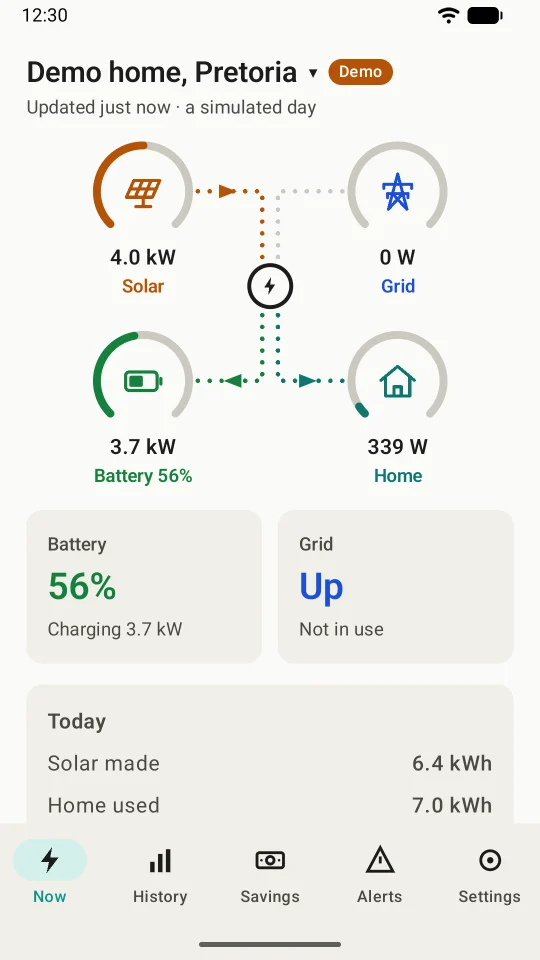
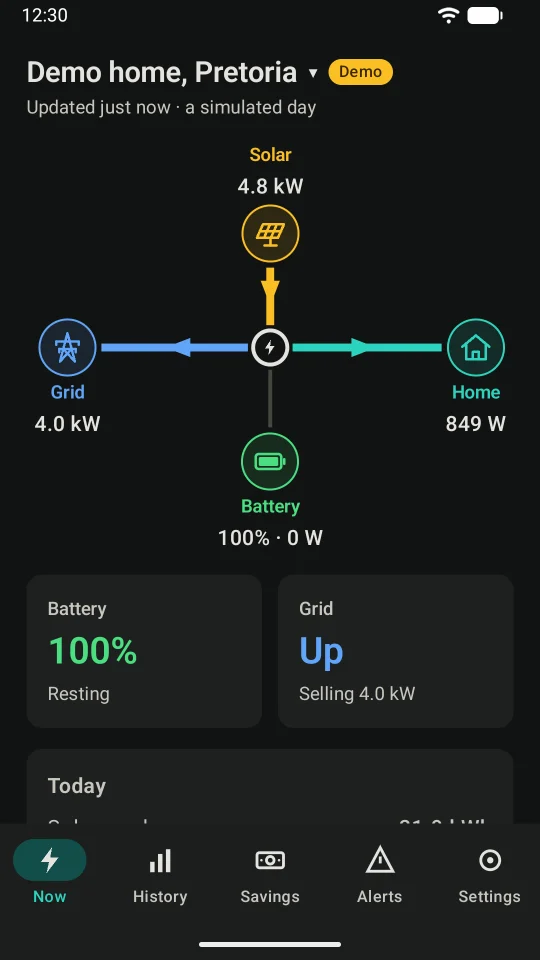
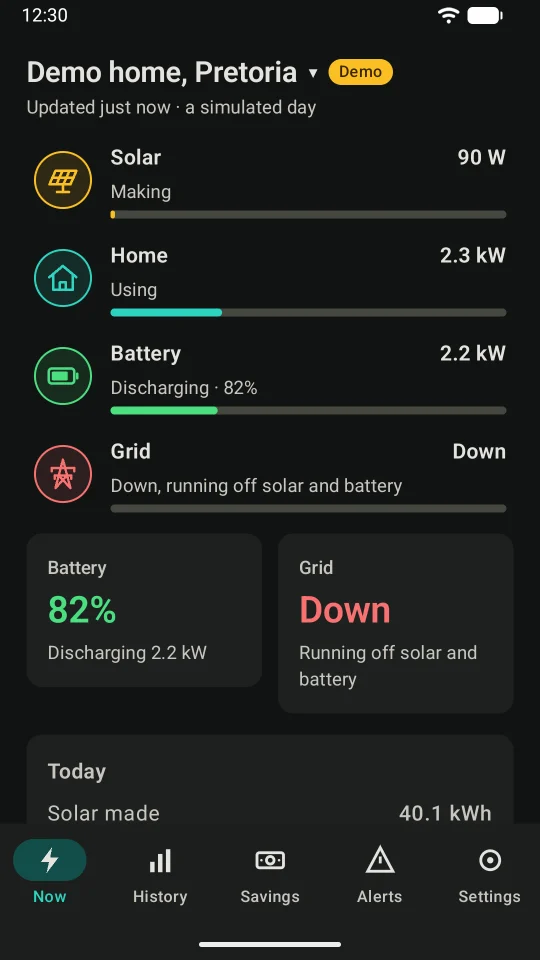
Open the app and you see it straight away: what your panels are making, what your home is using, your battery's charge, and whether the grid is up, with today's totals underneath.
- Three layouts: tiles like your inverter's screen, a flow diagram, or a simple list
- Plain words, such as "Down, running off solar and battery"
- Read once a minute while you watch, with the time of the last reading
- Several systems, if you look after more than one home
An alert for the things that matter
Turn on only the alerts you want. Each one comes from your own system's readings, checked every 15 minutes, even when the app is closed.
- The grid goes down, and when it's back (with how long it was gone)
- The battery runs low, at a level you choose
- The battery isn't charging while solar has power to spare
- The inverter reports a fault or a warning
- No new readings for 30 minutes: the logger may be off or off the Wi-Fi
- The battery is hot, or solar is well below recent days
At night, only "the grid is down" makes a sound. More about the alerts
See how your system did, and what it saved
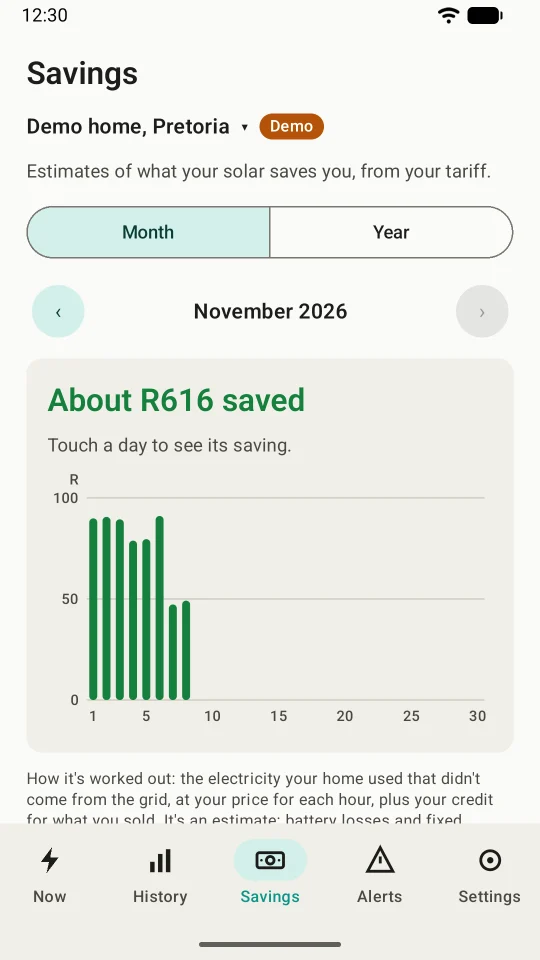
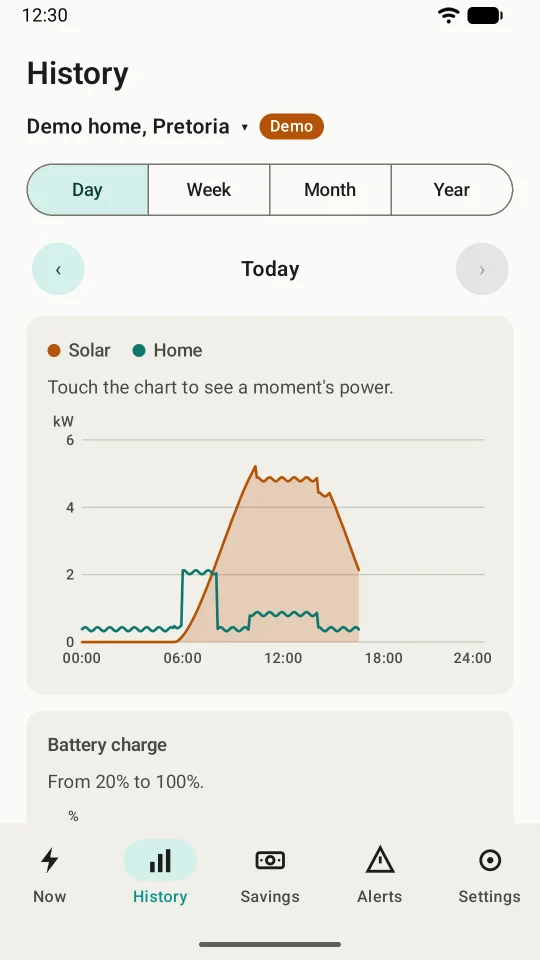
History shows your solar, home use and battery by day, week, month and year. Add your tariff, and InverterBoss works out what your Sunsynk system saved you, in rand.
- A monthly report to share as a picture or a PDF
- CSV export for your own spreadsheet
- Flat or time-of-use tariffs, with a credit for what you sell
Your settings stay yours
Some apps adjust your inverter for you. InverterBoss never does: it only reads, so the way your installer set up your Sunsynk stays exactly as it is. Your login goes only to Sunsynk, and your readings stay on your phone.
Connect your Sunsynk in three steps
If you can see your system in the Sunsynk Connect app, InverterBoss can show it.
Install InverterBoss
Get it from Google Play on your Android phone, and tap Get started.
Choose Sunsynk Connect
Pick your layout, then choose Sunsynk Connect when it asks which app your system uses.
Sign in
Use the email and password you use in the Sunsynk Connect app. Your system appears straight away.
Sunsynk questions and answers
Is InverterBoss the official Sunsynk app?
No. Sunsynk's own app is Sunsynk Connect. InverterBoss is an independent app, made by Kindly Made in Pretoria, that reads your system through your Sunsynk Connect account. We're not affiliated with Sunsynk.
Do I still need the Sunsynk Connect app?
Keep it. You need a Sunsynk Connect account to sign in, and it's where you and your installer change settings. InverterBoss is for checking on your system every day, simply.
Which Sunsynk inverters does it work with?
Any Sunsynk inverter whose data logger reports to Sunsynk Connect. If your system shows up in the Sunsynk Connect app, InverterBoss can show it too. With two inverters working together, it reads the main one.
Why is my Sunsynk app not showing data?
Usually the data logger, the Wi-Fi dongle on your inverter, has lost its Wi-Fi or internet, or the cloud is running slow. Check that your router is on and connected. InverterBoss always shows when your system last reported, and can alert you when no new readings have come for 30 minutes.
Does InverterBoss send Sunsynk notifications when the power goes off?
Yes. Turn on "The grid goes down, and when it's back" in the Alerts tab, and InverterBoss notifies you when your Sunsynk system loses the grid, and again when it's back. Alerts are part of Premium, with 14 days free for new subscribers.
What if Sunsynk's cloud is down?
Your readings come from Sunsynk's cloud, so InverterBoss shows the last reading and when it came. When you're home, Premium can also read your inverter's Wi-Fi logger directly, every few seconds, on loggers that allow it.
Can I see my Sunsynk system on a PC?
InverterBoss is a phone app, for Android 8 and newer. Sunsynk Connect also has a web portal for computers.
See your Sunsynk at a glance
InverterBoss is in testing now, and opens to everyone on Google Play soon. Want to try it on your own Sunsynk system before then? Email us to ask about joining the test.